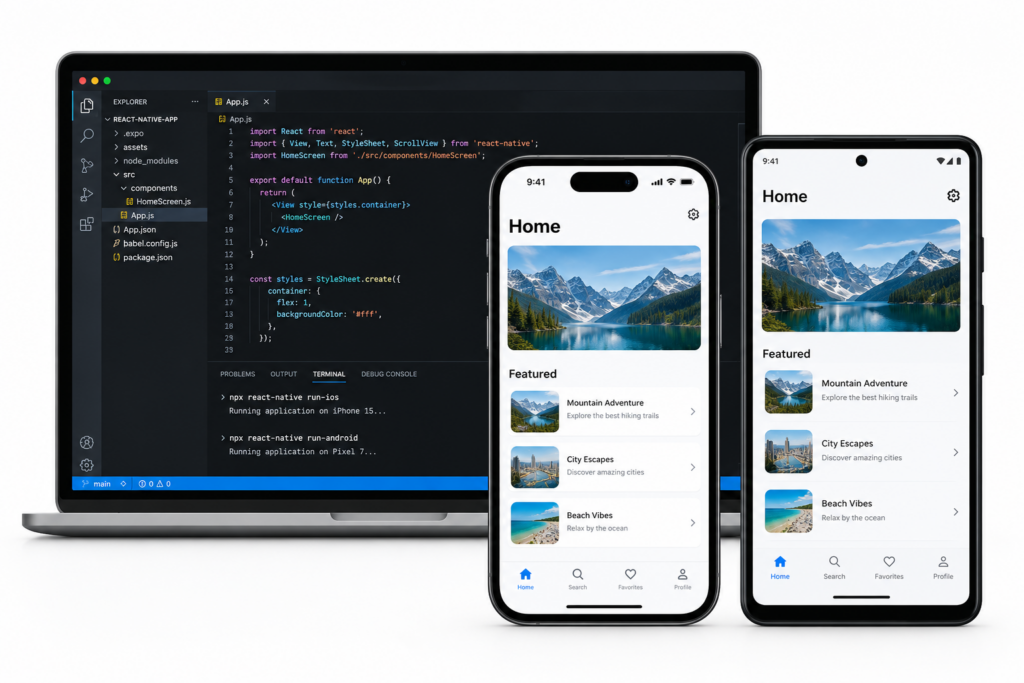

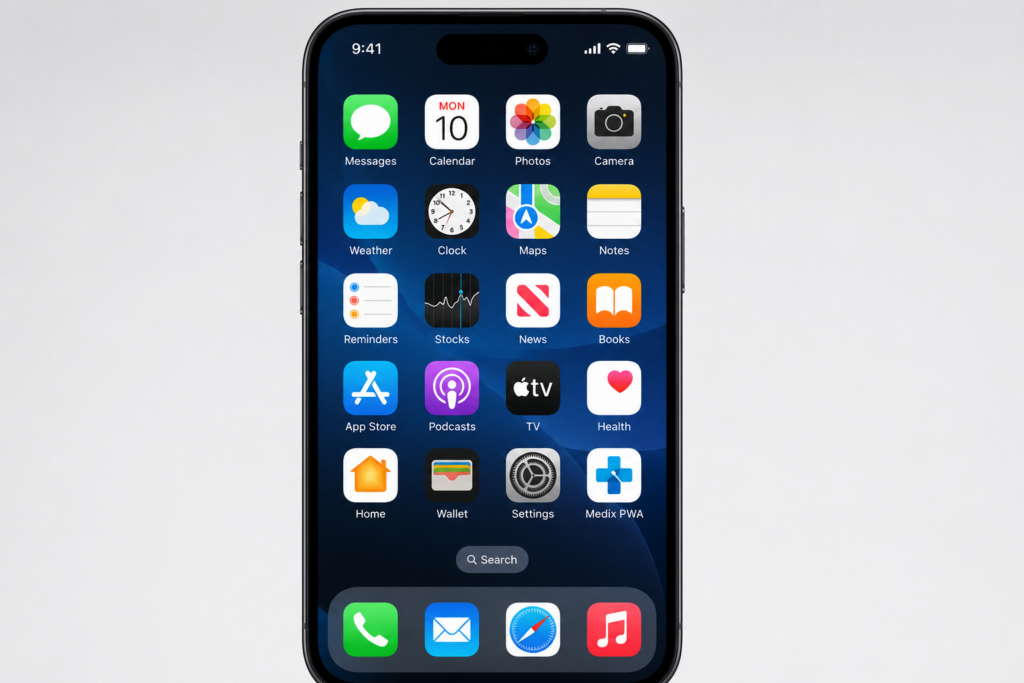
Progressive Web Apps (PWAs) occupy a fascinating middle ground between websites and native mobile applications. They run in a browser but can be installed on a device’s home screen, work offline through service worker caching, send push notifications, and deliver an app-like experience without requiring App Store distribution.
For the right use cases, PWAs are genuinely powerful — faster to build, cheaper to maintain, universally accessible, and increasingly capable. For the wrong use cases, they are a compromise that frustrates users and limits commercial potential. The key is knowing which is which.
What Is a Progressive Web App?
A Progressive Web App is a web application built with modern web standards that delivers app-like capabilities through three core technologies: a Service Worker (a background script that enables offline functionality and push notifications), a Web App Manifest (a JSON file that enables home screen installation and controls the app’s appearance when installed), and HTTPS (required for both security and service worker registration). PWAs are built using standard web technologies — HTML, CSS, JavaScript, and frameworks like React or Vue — and work in any modern browser.
When to Build a PWA vs a Native App
- Choose PWA when — your primary need is fast, lightweight content delivery; your audience is global and device-diverse; you need to iterate extremely quickly; or your budget cannot support native development.
- Choose native app when — you need deep device hardware access (camera, Bluetooth, NFC, GPS background tracking); your users will value App Store discovery; you are building a premium product with high performance requirements; or push notifications to iOS users are business-critical.
| 🌐 BUILD A PWA OR NATIVE APP — WE’LL ADVISE HONESTLY Stakk gives you an honest assessment of whether a PWA or native app is right for your project. Free consultation — no agenda, just the right answer for your situation. |
Frequently Asked Questions
Everything businesses need to know about progressive web apps versus native mobile apps.
What is a Progressive Web App (PWA)?
A Progressive Web App is a web application that uses modern browser capabilities to deliver an experience similar to a native mobile app — including home screen installation, offline functionality, push notifications, and fast performance. PWAs are built with standard web technologies (HTML, CSS, JavaScript) and work in any modern browser, making them universally accessible without an App Store download. They are powered by three key technologies: Service Workers (for offline capability and background sync), a Web App Manifest (for installation and launch behaviour), and HTTPS (required for security and service worker registration).
What is the difference between a PWA and a native mobile app?
A native app is built specifically for iOS (Swift) or Android (Kotlin), distributed through the App Store or Google Play, and can access all device hardware capabilities. A PWA runs in a web browser and is distributed via a URL, without App Store involvement. PWAs have improved significantly in capability but still have limitations: iOS Safari restricts push notification permission prompts, service worker storage, and certain hardware APIs (Bluetooth, NFC, background GPS). Native apps deliver better performance for complex UIs, deeper device integration, and stronger discoverability through App Store search.
How much does PWA development cost?
PWA development typically costs between £15,000 and £100,000 depending on the complexity of the application, offline requirements, and the depth of native-like features required. A content-focused PWA for a media or e-commerce site typically costs £15,000 to £40,000. A complex PWA with extensive offline capability, background sync, and rich interaction patterns costs £50,000 to £100,000. PWAs are generally less expensive than native app development for equivalent functionality, though the cost difference narrows for highly interactive or performance-intensive applications.
Can PWAs send push notifications on iOS?
Yes, PWAs can send push notifications on iOS as of Safari 16.4 (released March 2023), but only when the PWA is installed to the iPhone home screen — PWAs running in the browser tab cannot request notification permission on iOS. Users must explicitly add the PWA to their home screen before push notifications can be requested. This requirement creates a significant friction point compared to native apps, where push notification permission can be requested at any point in the user journey. For businesses where push notification to iOS users is critical, native app development remains the more reliable choice.
What is a service worker and what does it enable?
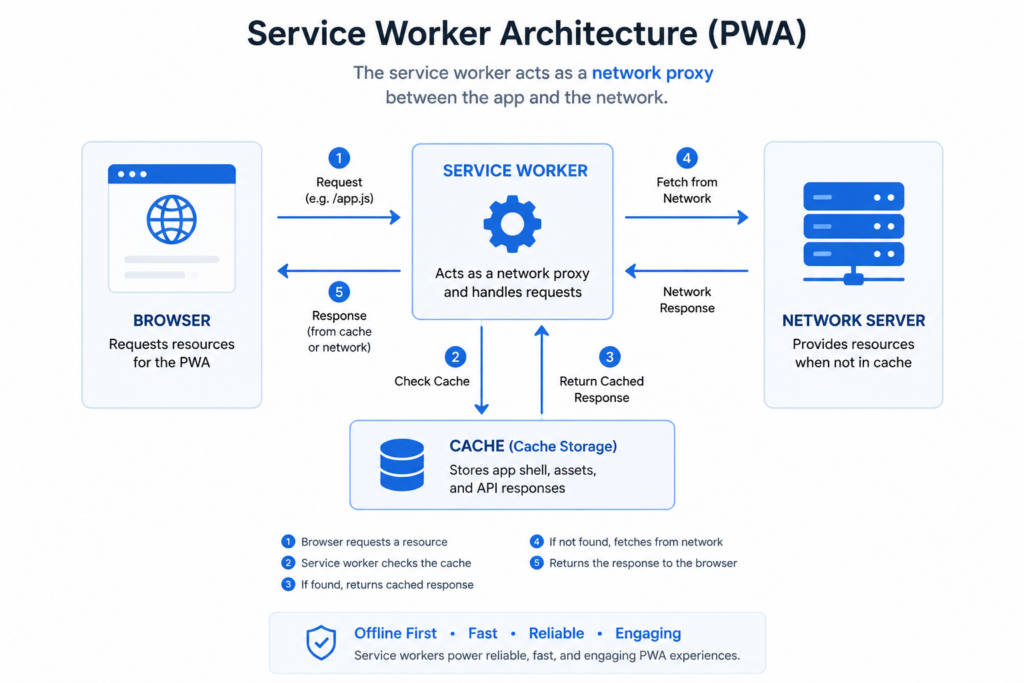
A service worker is a JavaScript file that runs in the background, separate from the main browser thread, acting as a programmable network proxy between the web app and the network. Service workers enable: offline functionality (caching resources so the app works without a network connection), background sync (queuing actions made offline and executing them when connectivity returns), push notification receipt and display, and precaching of assets for fast loading. Service workers are the technical foundation of what makes PWAs feel app-like rather than website-like.
What is a Web App Manifest?
A Web App Manifest is a JSON file linked from an HTML page that provides metadata allowing the browser to install the web app to the device’s home screen in an app-like manner. It specifies the app’s name, short name, icon set (in multiple sizes), background colour, theme colour, display mode (standalone to hide browser chrome, fullscreen, or minimal-ui), start URL, and orientation. When a browser detects a PWA with a valid manifest and service worker, it may prompt the user to install the app to their home screen via an A2HS (Add to Home Screen) banner.
Are PWAs indexed by search engines?
Yes, PWAs are indexed by search engines in the same way as any web content — this is one of their significant advantages over native apps, which are effectively invisible to web search. A well-built PWA with server-side rendering or pre-rendered content can achieve excellent organic search rankings. Users discovered through search can access the PWA immediately in their browser without an App Store download, reducing acquisition friction compared to native apps. The combination of SEO discoverability and app-like experience makes PWAs particularly effective for content-driven businesses.
What are the Lighthouse metrics for PWA quality?
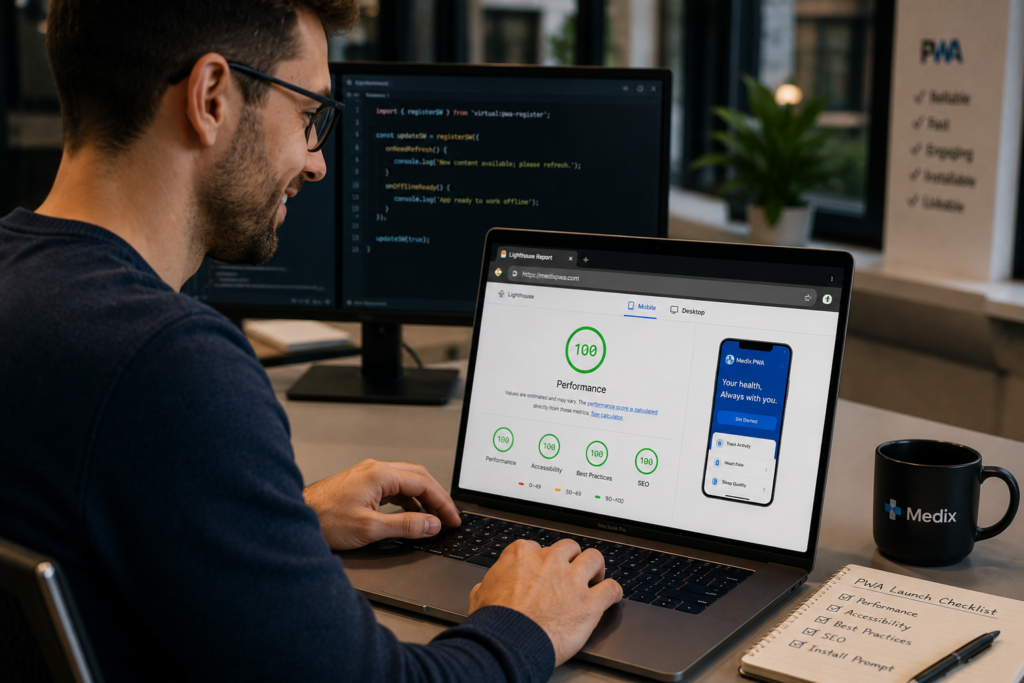
Google’s Lighthouse tool audits PWA quality across four categories: Performance (page load speed, Core Web Vitals), Accessibility (WCAG compliance, ARIA labelling), Best Practices (HTTPS, correct image sizing, no deprecated APIs), and SEO (meta tags, crawlability). A strong PWA should score above 90 in all four categories. Lighthouse also has a dedicated PWA audit that checks for service worker registration, HTTPS, offline response, web app manifest validity, and installability criteria. Lighthouse scores directly influence Google Search ranking through Core Web Vitals signals.
Which companies successfully use PWAs?
Major companies that have invested in PWAs with strong commercial results include Twitter (Twitter Lite PWA reduced data consumption by 70 per cent and increased pages per session by 65 per cent), Pinterest (rebuilt their mobile site as a PWA and saw 60 per cent increase in core engagements), Starbucks (PWA order-ahead system that works offline for menus), Forbes (PWA reduces page load time from 3 to 0.8 seconds), and Trivago (hotel search PWA that increased engagement on mobile by 150 per cent). Most of these are content and commerce applications — the categories where PWAs perform most strongly.
Should I build a PWA alongside my native app?
Building a PWA alongside a native app can serve complementary purposes: the PWA captures users who discover your product via search and want to try it immediately without an App Store download, while the native app serves your most engaged users who want the full-performance experience on their home screen. This strategy requires maintaining two products and is only justified for products with sufficient traffic and development budget. For most businesses, choosing one approach — native for the highest engagement, PWA for the lowest friction acquisition — is more commercially sensible than maintaining both.
| 🌐 FAST, OFFLINE-CAPABLE WEB EXPERIENCES BUILT BY STAKK From PWA development to native iOS and Android — Stakk delivers the right platform for your product. Free strategy session available now. |
About the Author
| Jack Tyson | Director, Stakk Jack Tyson is the Director of Stakk and has spent 12 years building mobile applications for start-ups, scale-ups, and global brands. With hands-on experience across iOS, Android, and cross-platform development, Jack brings both technical expertise and commercial insight to every project. 🔗 Connect with Jack: LinkedIn URL |
Blog Post 139 | Primary Keyword: progressive web app development | Stakk Content Strategy | Published: June 2026
Estimated reading time: 7 minutes