
iOS 18 represents one of the most significant platform updates Apple has delivered in years. It introduces Apple Intelligence as a foundational capability that changes what apps can do for users. In addition, a redesigned Control Centre, expanded Live Activities, and major SwiftUI improvements are included. Therefore, iOS 18 creates meaningful opportunities for apps that move quickly to take advantage of new platform capabilities.
At Stakk, our iOS development team actively tracks platform evolution. We ensure every app we build or maintain is designed to take advantage of current Apple platform capabilities. As a result, your app does not lag behind.
Key iOS 18 Features for App Developers
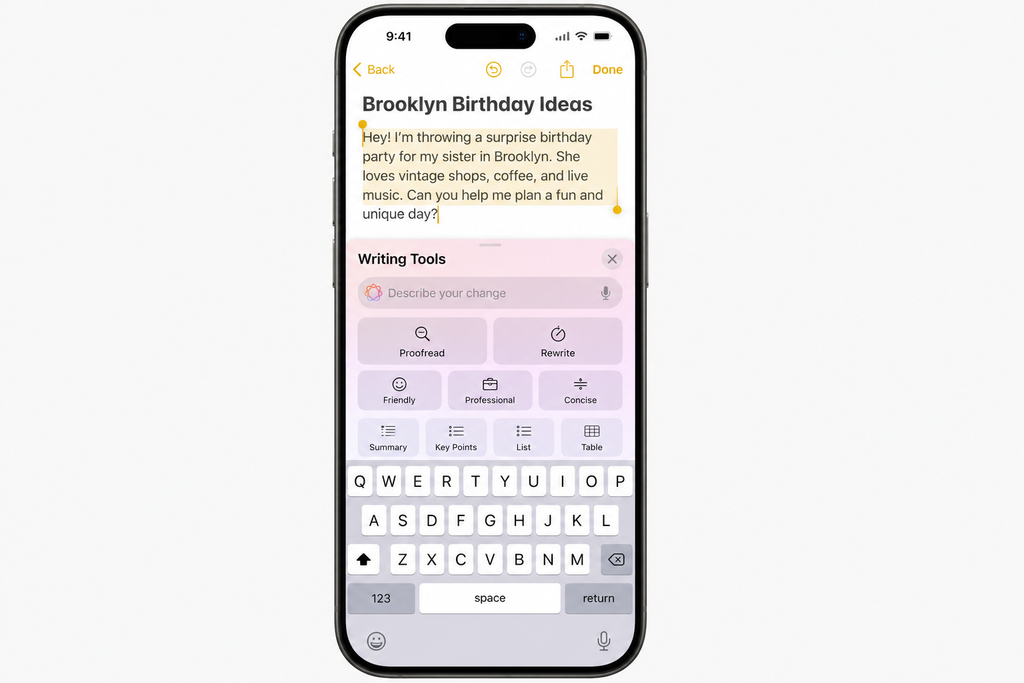
- Apple Intelligence – on-device AI capabilities including writing tools, image generation, and Siri enhancements. These features are available for apps to integrate through new APIs.
- Customisable Control Centre – apps can now provide custom controls that users can add directly to the iOS Control Centre. This lets users access them instantly.
- RoomPlan and spatial audio updates – enhanced AR and spatial audio capabilities for more immersive experiences.
- SwiftUI improvements – new animation APIs, improved performance, and expanded component library in SwiftUI.
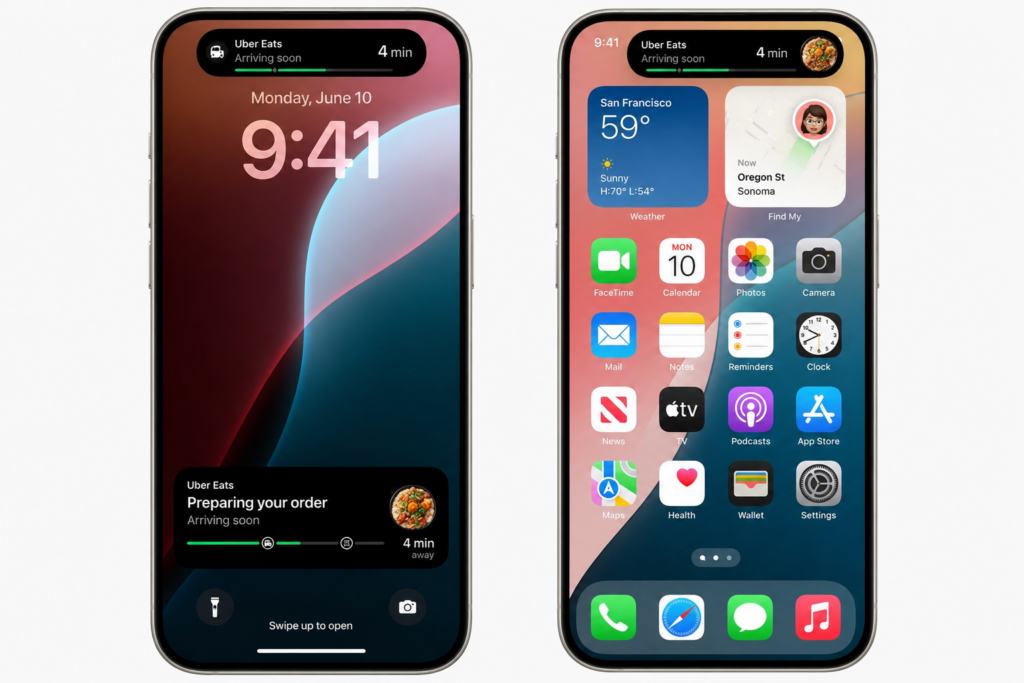
- Live Activities enhancements – expanded real-time information display capabilities on the lock screen and Dynamic Island.
Should Your App Update for iOS 18?
Every app should test for iOS 18 compatibility and address any deprecation warnings. Apps that serve users with frequent, time-sensitive updates should implement Live Activities. Apps with content creation, editing, or communication features should evaluate Apple Intelligence integration. The Control Centre opportunity is particularly compelling for utility apps and frequently-accessed tool categories.
| Make Your App iOS 18 Ready Stakk iOS developers ensure your app is compatible and optimised. They also ensure it is taking advantage of the latest Apple platform features. In addition, you get a free consultation. |
Frequently Asked Questions
What businesses and developers need to know about iOS 18 app development.
What is iOS 18 and what does it mean for my app?
iOS 18 is Apple major annual platform release introducing Apple Intelligence, redesigned Control Centre, expanded Live Activities, and significant SwiftUI improvements. For your app, it means compatibility testing is essential, and strategic adoption of new features can create meaningful competitive differentiation.
What is Apple Intelligence and how can apps integrate with it?
Apple Intelligence is Apple on-device AI system introduced in iOS 18, providing writing tools, image generation, enhanced Siri capabilities, and developer APIs that allow apps to integrate AI features while keeping data on-device. Apps can surface their content through Siri intelligence, use Writing Tools APIs in text fields, and access Image Playground for creative features.
What are Live Activities and how do they work in iOS 18?
Live Activities display real-time app information on the lock screen and in the Dynamic Island without requiring the user to open the app. They are ideal for ongoing processes including food delivery tracking, sports scores, flight status, workout progress, and any scenario where users benefit from glanceable updates. iOS 18 expands Live Activities capabilities with new display options.
What is the iOS 18 Control Centre and how can my app use it?
iOS 18 introduces fully customisable Control Centres that users can personalise with third-party app controls in addition to system controls. Apps can provide ControlWidget extensions that give users instant access to key app functions directly from the Control Centre, increasing daily engagement for utility and frequently-used apps.
What is Swift 6 and do I need to update my app?
Swift 6 introduces strict concurrency checking that prevents data races and makes concurrent code safer. It is not a forced upgrade for existing apps but is the recommended approach for new development and significant refactors. Migrating existing code to Swift 6 concurrency requires updating code to use the new structured concurrency model, which Stakk can assist with.
How do I test my app for iOS 18 compatibility?
Testing for iOS 18 compatibility requires running your app on the iOS 18 simulator in Xcode and on physical devices running iOS 18. Key areas to test include all UI layouts for the updated system fonts and spacing, any features using deprecated APIs that need updating, third-party SDK compatibility with iOS 18, and dynamic type and accessibility feature behaviour.
What deprecated iOS APIs should I be aware of in iOS 18?
Apple typically deprecates older APIs with each major iOS release and removes them after two to three major versions. iOS 18 deprecates various UIKit APIs in favour of SwiftUI equivalents, older Core Data patterns in favour of SwiftData, and some backgrounding APIs. Checking the iOS 18 release notes and running the app with deprecated API warnings enabled in Xcode reveals what needs attention.
Should I adopt SwiftUI more extensively for iOS 18?
Yes, SwiftUI has matured significantly and is now Apple primary UI framework. iOS 18 brings further SwiftUI improvements making it more capable and performant. For new features and screens, SwiftUI is the recommended approach. For existing UIKit codebases, incremental SwiftUI adoption using UIHostingController allows gradual migration without a complete rewrite.
How does iOS 18 affect push notifications?
iOS 18 introduces updates to notification management including improved Focus filter support, new notification display options, and improvements to the notification permission flow. Apps should review their notification implementation for iOS 18 compatibility and consider updating their permission request timing strategy in line with Apple guidance on respecting user attention.
How much does iOS 18 app updating cost?
A compatibility review and update for an existing iOS app for iOS 18 typically costs 2,000 to 8,000 pounds depending on the size of the codebase and the number of deprecated APIs requiring updates. Adding new iOS 18 features including Live Activities, Control Centre controls, or Apple Intelligence integration typically costs an additional 5,000 to 20,000 pounds per feature set.
| iOS 18 Features Create Real Competitive Advantages Apps that adopt new platform capabilities early consistently outperform those that lag. Stakk helps you get there first. Free strategy session. |
About the Author
| Jack Tyson | Director, Stakk Jack Tyson is the Director of Stakk. He has spent 12 years building mobile applications for start-ups, scale-ups, and global brands. In addition to his experience, he has hands-on skill across iOS, Android, and cross-platform development. Moreover, Jack brings both technical expertise and commercial insight to every project. |
Blog 166 | iOS 18 app development | Stakk Content Strategy | June 2026
Estimated reading time: 6 minutes